

How to Choose Customer Engagement Software for a Small Shop
By the time you shop for customer engagement software, you usually have a specific frustration: offers nobody redeems, regulars who vanished, a loyalty program that became a stamp-collection hobby, or marketing that lives in five disconnected tools.
Feature lists will not settle the decision. Most tools at this price point can create a voucher and send a message. The differences that matter are in how the tool fits your counter, your customers' habits, and your margin — and those only show up when you test the whole journey.
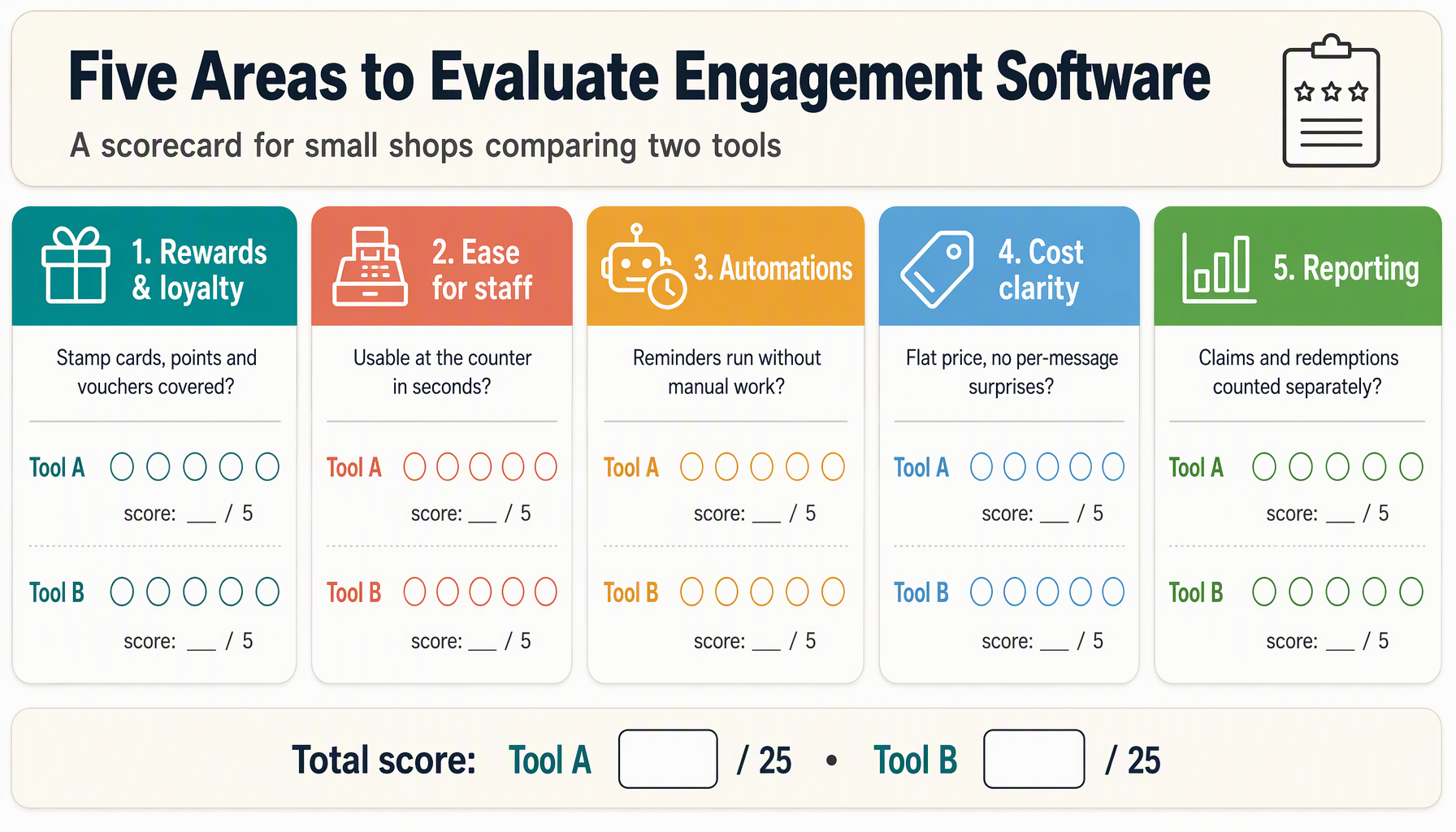
This checklist walks through five evaluation areas. It applies to any tool you are considering, including ours.
1. Test the complete journey, not the demo
A demo shows you the happy path the vendor rehearsed. Your evaluation should reproduce the path your customer will actually take:
- A customer discovers the offer (post, message, or counter sign).
- They claim or join, on their own phone, in under a minute.
- They return to your shop and use it.
- A staff member applies it without asking you for help.
- The event shows up in a report you can find the next day.
Run every step yourself with a trial account, on both an iPhone and an Android phone if your customers use both. Wallet passes in particular behave differently across devices, and "no app download" claims deserve a firsthand check.
Time each step. A claim that takes ninety seconds and four screens will lose customers that a two-step claim keeps. Ask the vendor what happens when a customer says "I claimed it but can't find it" — the answer reveals more about support than any feature grid.
2. Check what the plan actually includes
Pricing pages compress a lot into a few bullets. Before comparing prices, expand them into the limits that matter at your scale:
| Limit to check | Why it matters |
|---|---|
| Member cap per plan | Determines when a growing shop is forced to upgrade |
| Cards and locations | Multi-service shops and second locations change tier quickly |
| Message channels and credits | Email, SMS, wallet pushes, and WhatsApp each carry different costs |
| Automation and segmentation | Often the difference between a card and a campaign tool |
| Referral programs | Sometimes gated to higher tiers despite being core to growth |
| Trial terms and cancellation | A trial without full features tests the wrong product |
Zea illustrates why the detail matters: its paid lineup separates loyalty and campaign basics from Growth, where Autopilot, Smart Audiences, and referral workflows are available. Prices, member limits, channels, and trial terms can change, so use the current pricing page for the live details. Map the capabilities you actually need against the tier that contains them before you commit; the engagement workflows that motivated your search often sit above an entry plan.
Also ask what happens above and below your expected size. The plan that fits 150 members should have a graceful path to 1,000, because migration between tools later is far more painful than the right tier now.
3. Weigh automation against your real workload
"AI marketing" appears on every modern pricing page. Evaluate it as a workflow, not a label:
- What does it decide? Audience selection, timing, offers, or just message drafts? Each level of autonomy needs a different level of your trust.
- What can you limit? Look for discount caps, spend budgets, and per-customer frequency controls. If the tool can message your whole list at its own discretion, that is a guardrail question, not a feature.
- What do you review? A suggestion inbox you actually check beats an "autopilot" that acts unreviewed. Ask to see the approval flow during the trial.
- What does it cost when it works? Automation that sends more messages costs more in credits. Model a successful month, not an average one.
The honest test: describe your two most repetitive marketing tasks to the vendor and ask them to show those tasks being done in the tool. Generic automation impresses in demos; specific workflows reveal fit.
4. Look for the unglamorous operational fit
The features that determine day-to-day success rarely make the homepage:
- Staff experience. Can a new employee award points, scan a pass, and redeem a reward from one screen, in the flow of a busy counter? Ask to see the staff view.
- POS compatibility. If automatic earning through your point of sale is claimed, ask which specific systems are supported and verified — integrations are frequently narrower than the word "integrations" suggests. A manual staff-scan workflow that works reliably beats a promised integration that does not.
- Data export. Your customer list must leave with you if you leave. Confirm export is available before you build two years of history inside someone else's database.
- Support reality. When something breaks on a Saturday morning, what happens? Ask what support is included at your tier and how quickly issues are answered.
- Customer-facing languages. If your shop serves a multilingual neighborhood, check whether the customer experience speaks it.
5. Compare honestly, including against us
You will likely shortlist a few options. Two structured comparisons help more than ten feature lists:
Against your status quo. What does the tool change about your week? A platform that saves three hours a month and adds two measurable campaigns earns its fee differently than one that digitizes a punch card.
Against the specific alternative. If you are weighing a POS-native option (such as a loyalty add-on from your payment provider) against an independent platform, compare the complete workflow: where offers come from, how customers join, what the counter does, and what reporting exists. POS-native tools excel at checkout integration; independent platforms often go further on campaigns, channels, and referrals. The right answer depends on which part of the journey is currently broken for you.
When you evaluate Zea, apply this same checklist and hold us to it: test the wallet pass on your own phone, ask staff to run the counter flow, check the plan limits against your member count, and use the trial to run one real campaign end to end. Our features overview maps what the platform covers across loyalty, campaigns, referrals, and automation, and the guides on this blog — second-visit campaigns, referral programs, and automation guardrails — show the workflows we built it around.
The decision, simplified
After the five areas, the decision usually comes down to three questions:
- Did the whole journey work when you tested it yourself? Not the demo — your test, on your phone, with your staff.
- Does the plan that fits your size include the capabilities your problem requires?
- Can you leave with your data if it stops fitting?
A tool that passes all three at a price your margin supports is the right tool, whatever the feature grid says. One that fails the first question will fail your customers the same way, regardless of price.
Questions about choosing software
Should I just use my POS provider's loyalty features?
Start there if checkout integration is your main need and your marketing ambitions are modest. Move to a dedicated platform when you want campaigns, referrals, or channels your POS does not cover — and verify the integration direction (does the engagement tool read your POS, write to it, or neither?).
Is a free plan good enough to start?
A free tier is a legitimate way to test the customer experience with a small member base. Just confirm the upgrade path and pricing before you invest effort, so the program you build on day one survives your growth on day one hundred.
How long should a trial last before I decide?
Long enough to run one complete campaign cycle — claim, visit, redemption, review. Two weeks is typical; if your customer visit cycle is slower, ask whether the trial can flex to match it.