

Five Controls to Set Before Automating Your Shop's Marketing
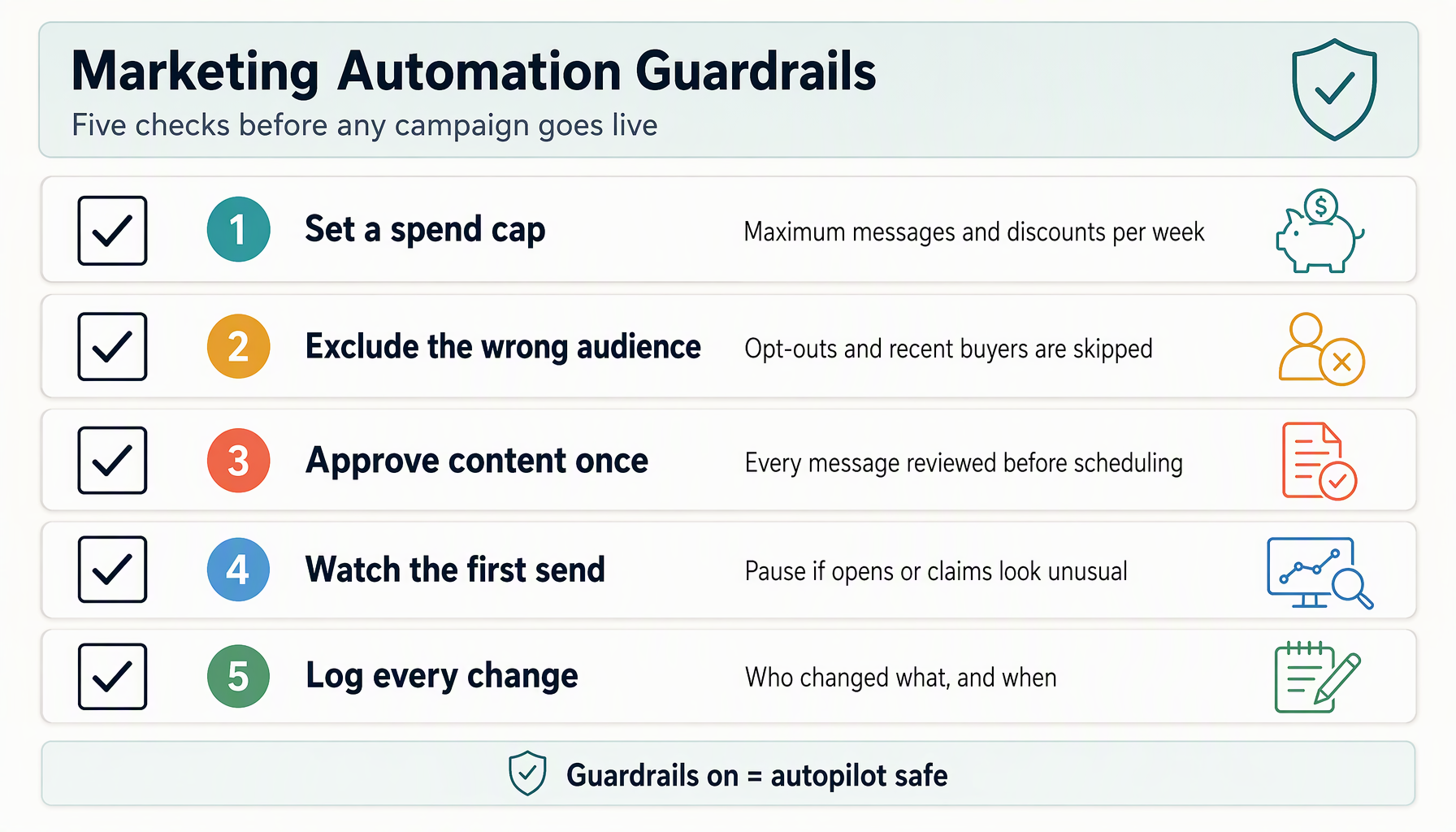
Marketing automation earns its keep by acting while you are running the counter. It also fails in a specific way: it keeps executing a decision that made sense when you set it and stopped making sense two weeks later.
The difference between automation that helps and automation that embarrasses you is usually five settings, made once, before the first automated campaign goes out.
Control 1: a discount ceiling
Decide the largest discount any automated campaign may offer, in percentage or dollar terms, and set it in the tool — not just in your intentions.
The ceiling should come from your margins, not from what the tool can do. If your average ticket carries 60% gross margin, a 30% discount consumes half of it before any campaign cost. A useful starting ceiling is well under that: enough to move a hesitant customer, far from the line where a campaign loses money on every redemption.
Two questions expose the right number for your shop:
- What is the largest discount you would approve on the spot if an employee asked?
- What discount would make a regular customer wait for the next automated offer instead of buying at full price?
The first sets your upper bound. The second warns how high that bound can safely sit. If campaign suggestions regularly press against your ceiling, that is information about your offers' strength, not a reason to raise the limit.
In Zea, Autopilot guardrails include exactly this control — a maximum discount the automation cannot exceed. Whatever platform you use, confirm the cap applies to what the system generates, not only to what you build by hand.
Control 2: a spend budget with a period
Set the maximum the automation can cost you per month: message credits, SMS charges, AI generation costs, whatever your platform bills. Attach it to a period, and put it in writing where you will see it.
Automation costs are easy to underestimate because they scale with success. A campaign that reaches 3,000 members costs more than one that reaches 300, and the tool will happily send to 3,000 if the audience rule says so.
For a first automated setup, a modest monthly cap does two jobs. It bounds your downside while the automation earns trust, and it forces the tool (and you) to prioritize audiences rather than blast everyone. When a cap feels tight, the review question is whether the current campaigns earn their cost — not whether to raise the cap by reflex.
Control 3: a frequency limit per customer
Decide how many promotional messages one customer may receive per week, and how many total touches across all channels. Then enforce it in the tooling.
This control protects your most valuable asset, which is not the offer budget — it is the customer's willingness to hear from you. A customer who receives a wallet notification Monday, an email Wednesday, and a pass push Friday from the same shop learns that the shop's messages are noise. Unsubscribe follows, and unsubscribes do not come back.
A practical starting pair: at most two promotional touches per week, and at most three in any rolling two-week window, across every channel combined. The combined part matters; email, SMS, wallet passes, and social messages each feel reasonable alone and stack badly together.
Also decide the cooling-off rule: after a customer redeems an offer, they sit out promotional sends for a defined period. Someone who used yesterday's offer should not get today's reminder for it. Zea provides frequency and fatigue controls for campaigns; confirm their current scope and channel coverage in your account, then mirror the same intent wherever you run automation.
Control 4: an approval rule for anything new
For the first month, no automated campaign should reach customers without you seeing it first. The mechanism varies by platform — an approval queue, a draft state, a preview send to yourself — but the rule is constant: new audience, new offer, new message copy means a human look.
What you are checking in that look:
- The audience is who you think it is. Read the rule back in plain English. "Members inactive 60+ days" and "all members" are different campaigns, and typos happen.
- The offer is deliverable. Staff know about it, stock exists, and the redemption path works.
- The copy sounds like your shop. Templates are starting points. A message you would never say aloud will read as someone else's voice, and customers notice.
- The timing is sane. A 6 a.m. push for a café opening at 7 is fine; the same for a barbershop may not be.
After a pattern repeats successfully several times, you can reduce the review burden, but keep approval for genuinely new campaign types. Zea's Autopilot presents campaign suggestions for review; use that review as a real decision point rather than a rubber stamp.
Control 5: a stop condition you define in advance
Before launching, write down what would make you turn the automation off, and how you would notice. Vague intentions ("if it gets weird") arrive too late.
Concrete stop conditions worth setting:
- Redemptions exceed forecast by a factor that threatens margin, and the pace is still accelerating.
- Opt-outs or unsubscribes in one week exceed your normal rate by an agreed multiple.
- Customers report receiving messages that contradict the published offer terms.
- A channel starts failing (bounces, undelivered passes) while sends continue.
- You cannot explain, in one sentence, why the most recent automated campaign exists.
Pair each condition with a check-in cadence — a five-minute weekly scan of sends, redemptions, and opt-outs is enough at small-shop scale. The point is not paranoia; it is that automation's failures are quiet until they are expensive, and a defined tripwire makes them loud early.
The order to set them in
If you only do one thing before enabling automation, set the frequency limit — it protects the customer relationship everything else depends on. The practical order:
- Frequency limit (protects attention)
- Discount ceiling (protects margin)
- Spend budget (protects cash)
- Approval rule (protects quality while you learn the tool)
- Stop conditions (protects everything, retroactively)
Set all five in one sitting; they take about thirty minutes together and they reference each other. Revisit quarterly: as your automation's track record grows, some limits can loosen, and as your customer base grows, others need to tighten.
Well-set controls do not slow automation down in any way you will feel. They let you hand over the routine work — reminders, follow-ups, re-engagement — and spend your own attention on the decisions that actually need a human who knows the shop.
For the weekly rhythm these controls support, see our two-week marketing calendar.
Set the five controls in your own process first. Then review Zea's engagement tools to see whether they support the approval and measurement workflow you need.
Questions about automation guardrails
Isn't this overkill for one shop?
The settings take half an hour once. The failures they prevent — a runaway discount, a customer exhausted by messages — each cost more to unwind than the half hour did.
Can automation ever be fully hands-off?
For narrow, well-tested flows (a birthday message, a standard reminder), yes. For anything involving offers, pricing, or your whole list, keep the approval rule. Hands-off should be earned per flow, not granted globally.
What's the first thing worth automating?
Usually the follow-up you already do manually and reliably — an unredeemed-offer reminder or a second-visit nudge. Automate what you have proven by hand, and read our offer follow-up guide for the measurement that tells you it's working.